SampleForge VPO Demo coming soon

Composite organ creation, made easy.

SampleForge VPO lets you take ranks of recorded pipes from different sample sets and put them together into one organ. It matches their tuning, levels and acoustics so they sound like one instrument, and gives you a console designer with practically endless customisation.

Demo coming soon Watch on YouTube

Built for Windows 10 and 11.

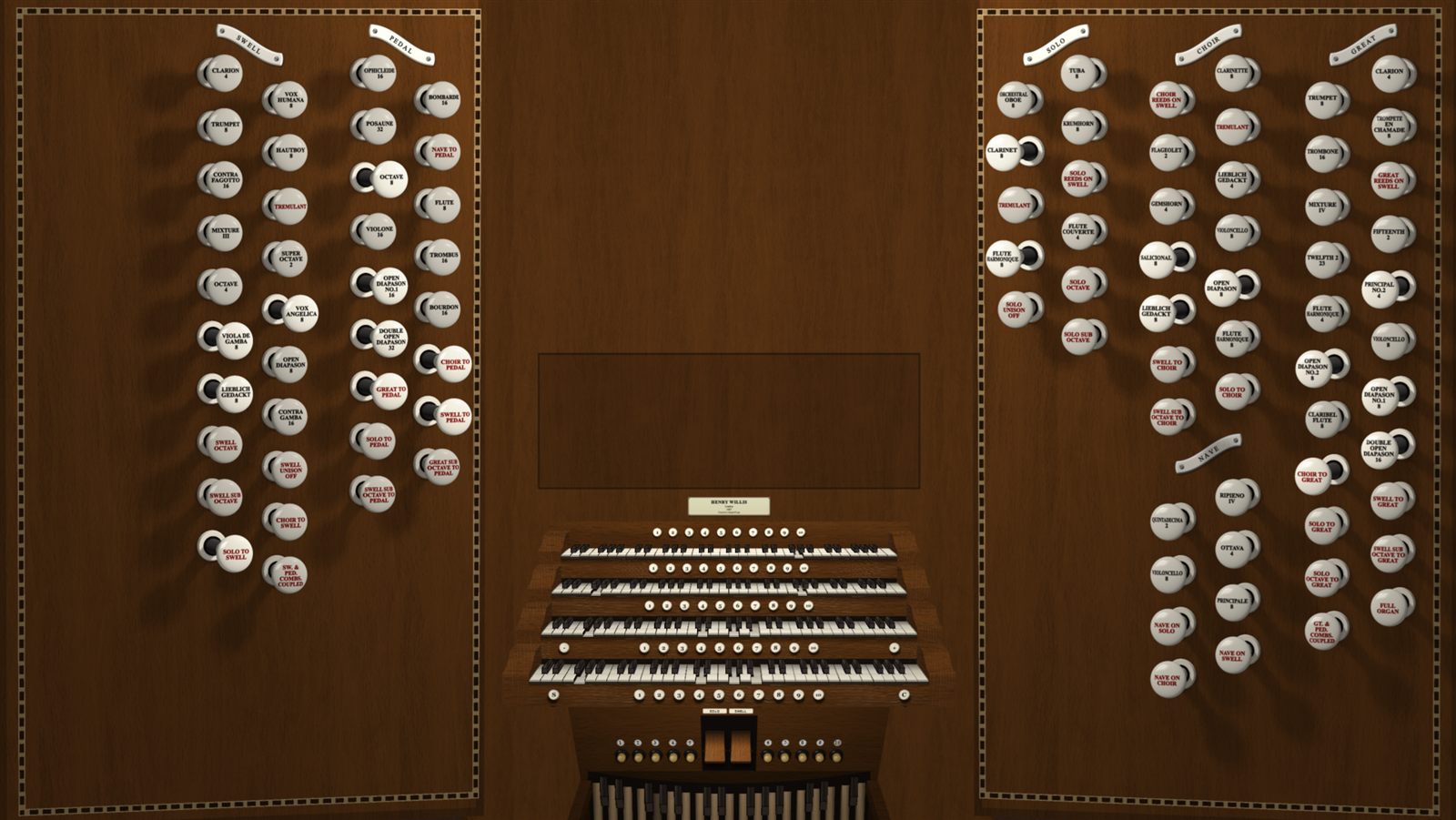
A four-manual console with drawstop jambs
A four-manual console inspired by the English tradition.
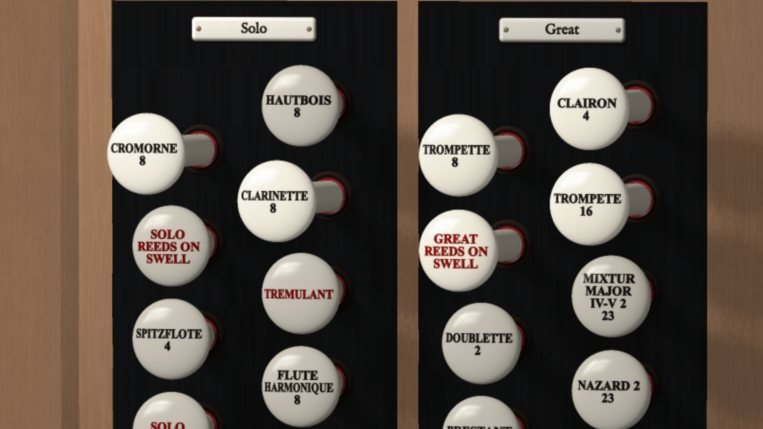
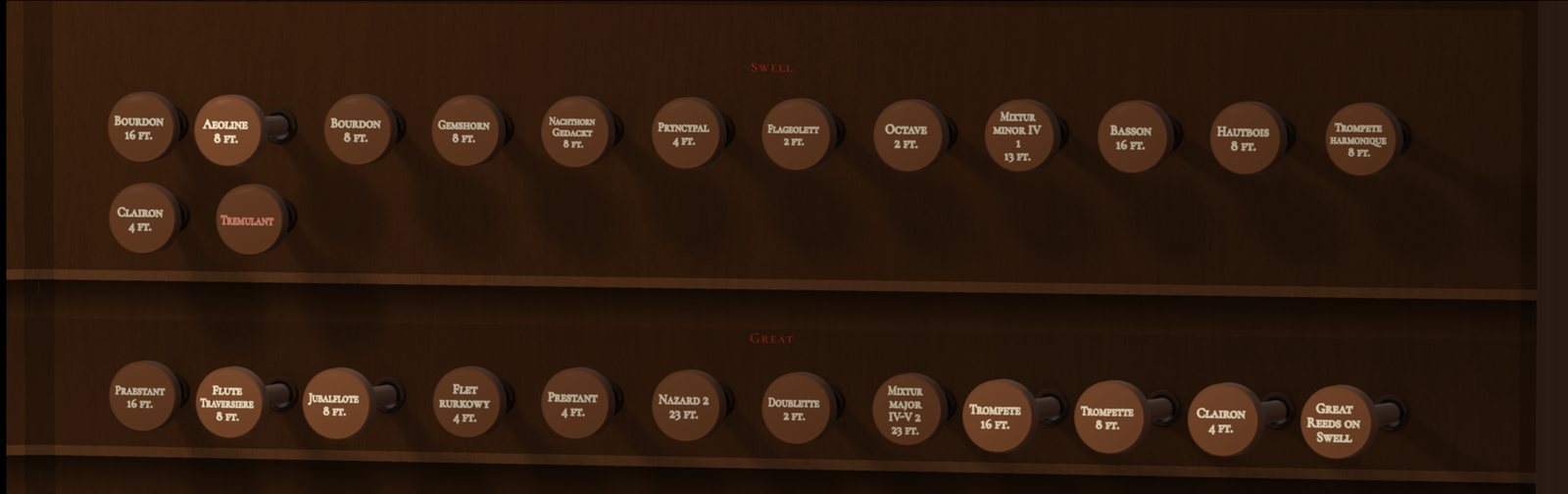
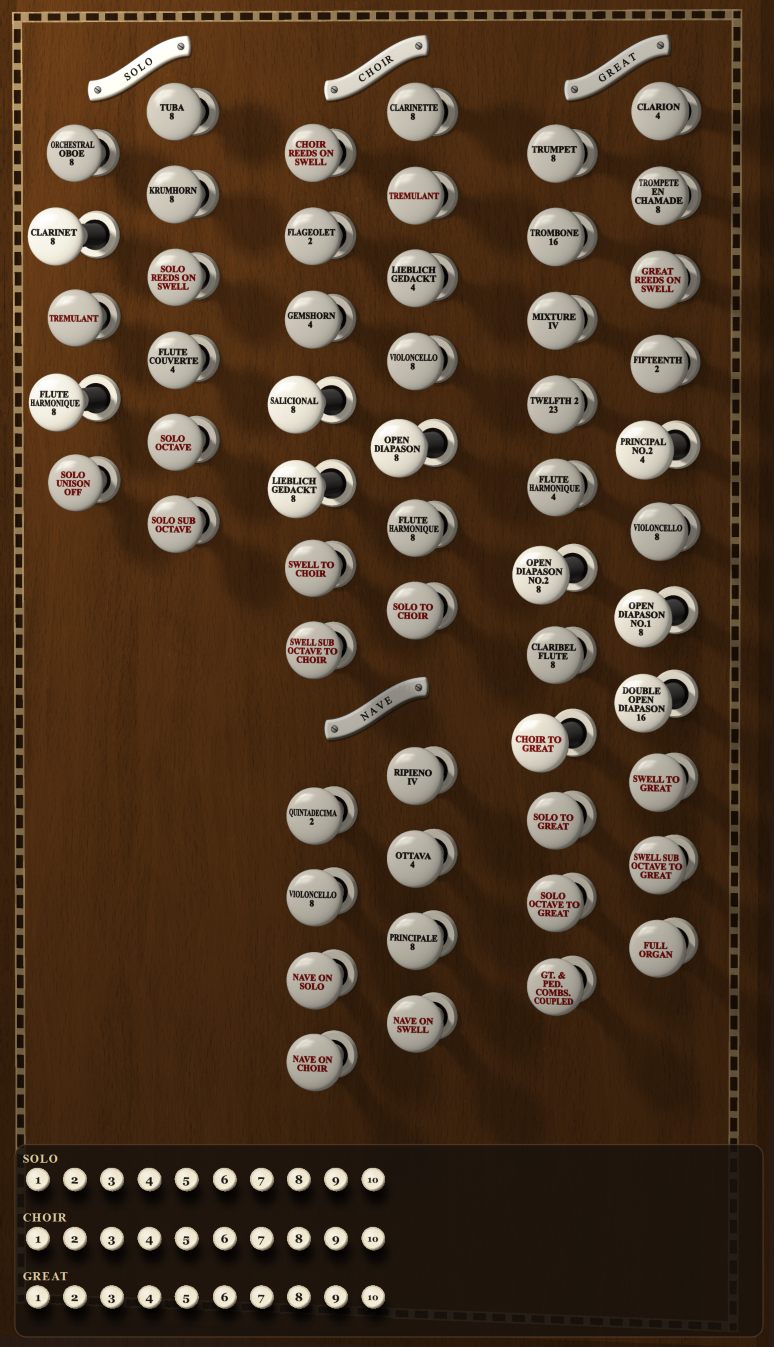
Close-up of drawstops on the Solo and Great jambs
Drawstops up close, with coupler heads in red.
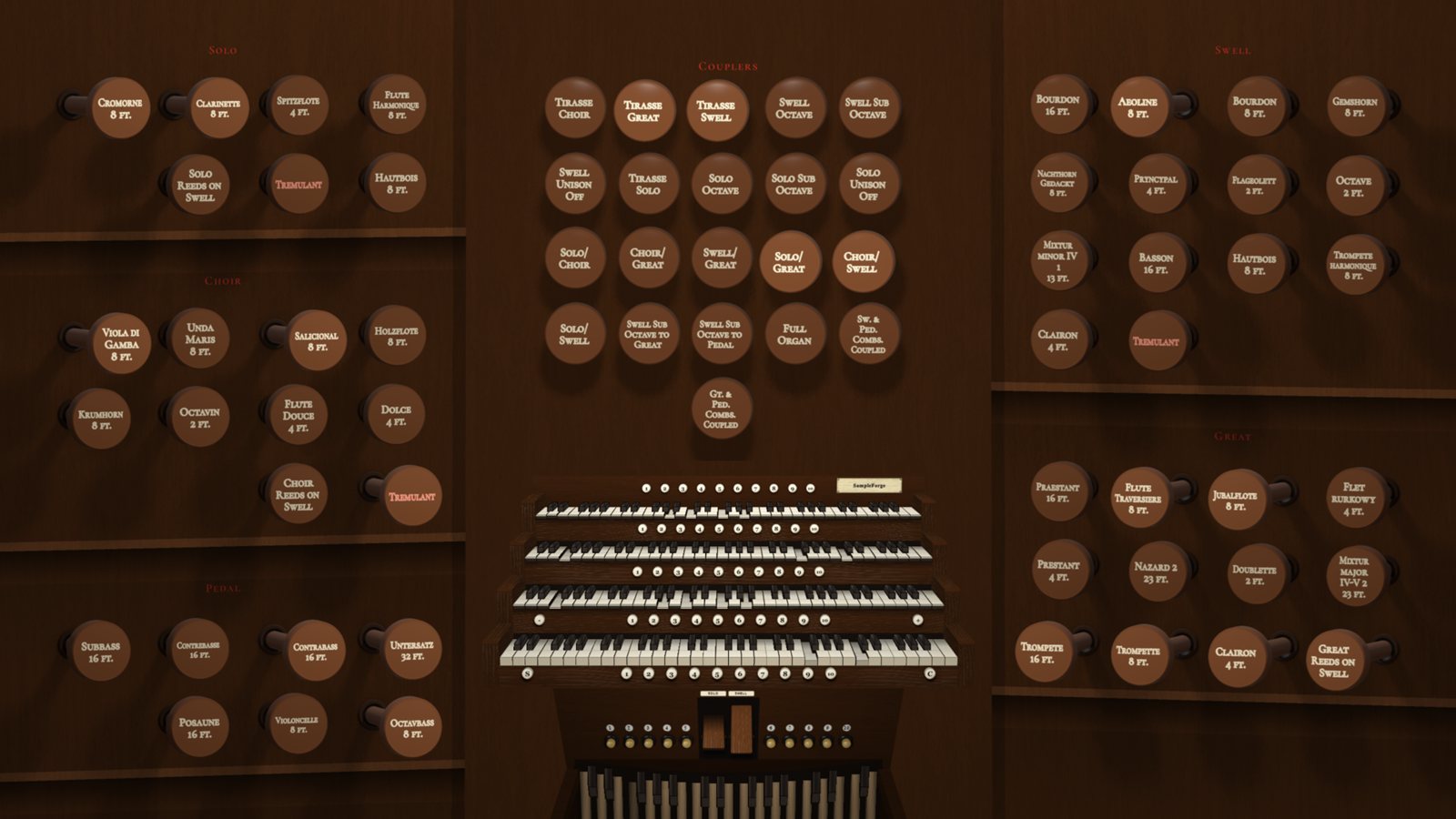
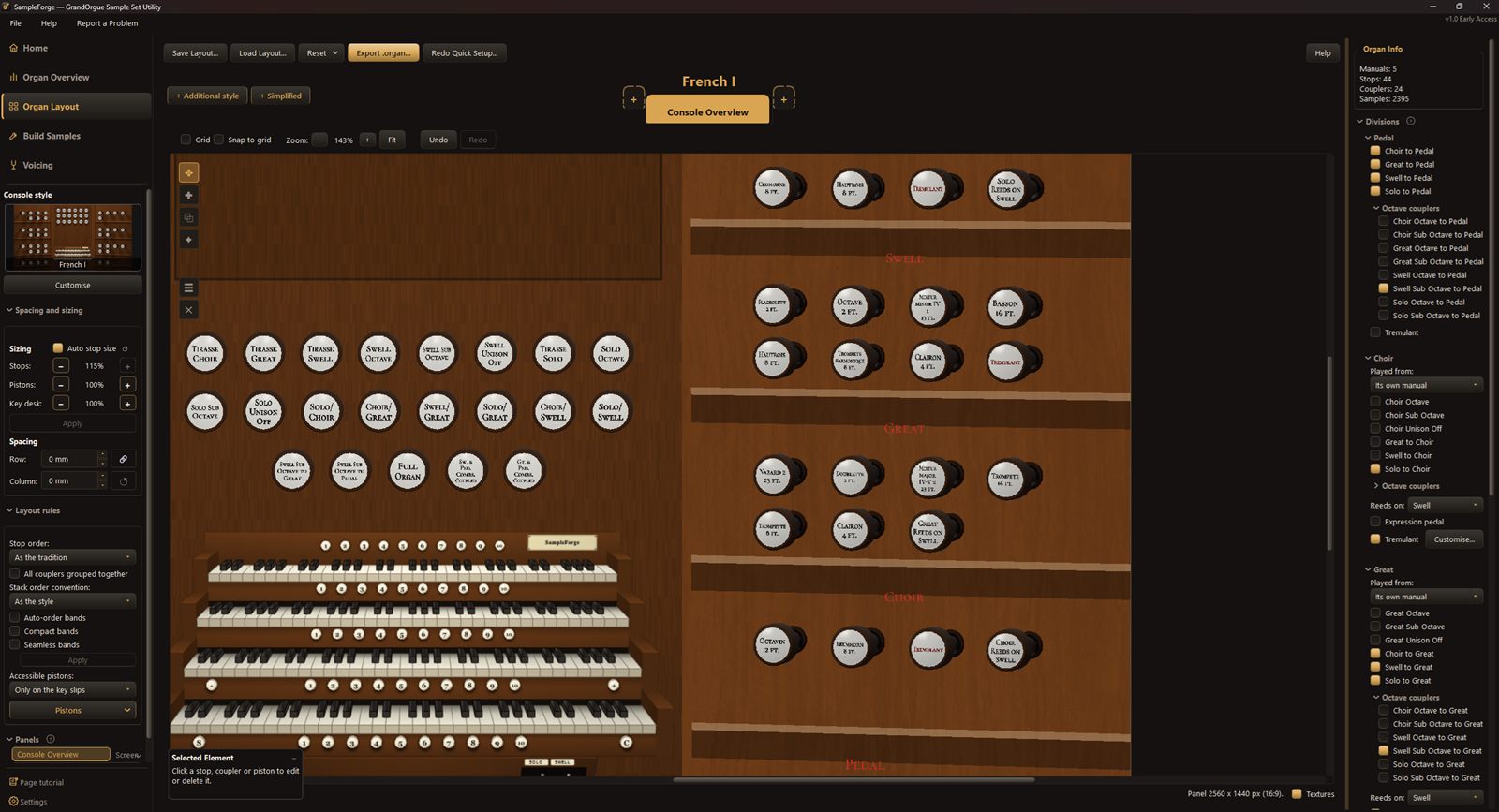
A four-manual console inspired by the French tradition
A four-manual console with terraced stop jambs, inspired by the French tradition.
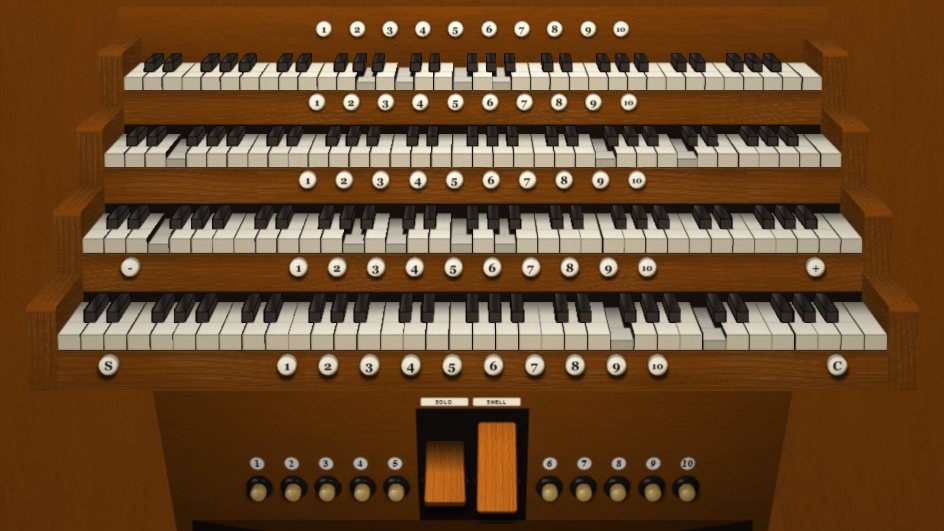
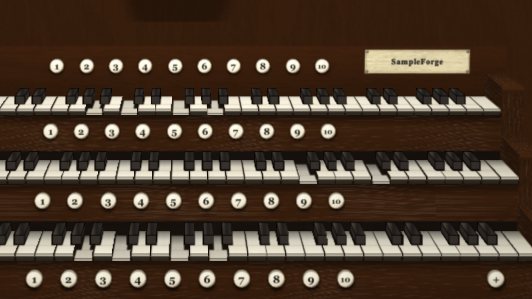
Four manuals with thumb pistons, expression pedals and toe pistons
The key desk: thumb pistons, expression pedals and toe pistons.
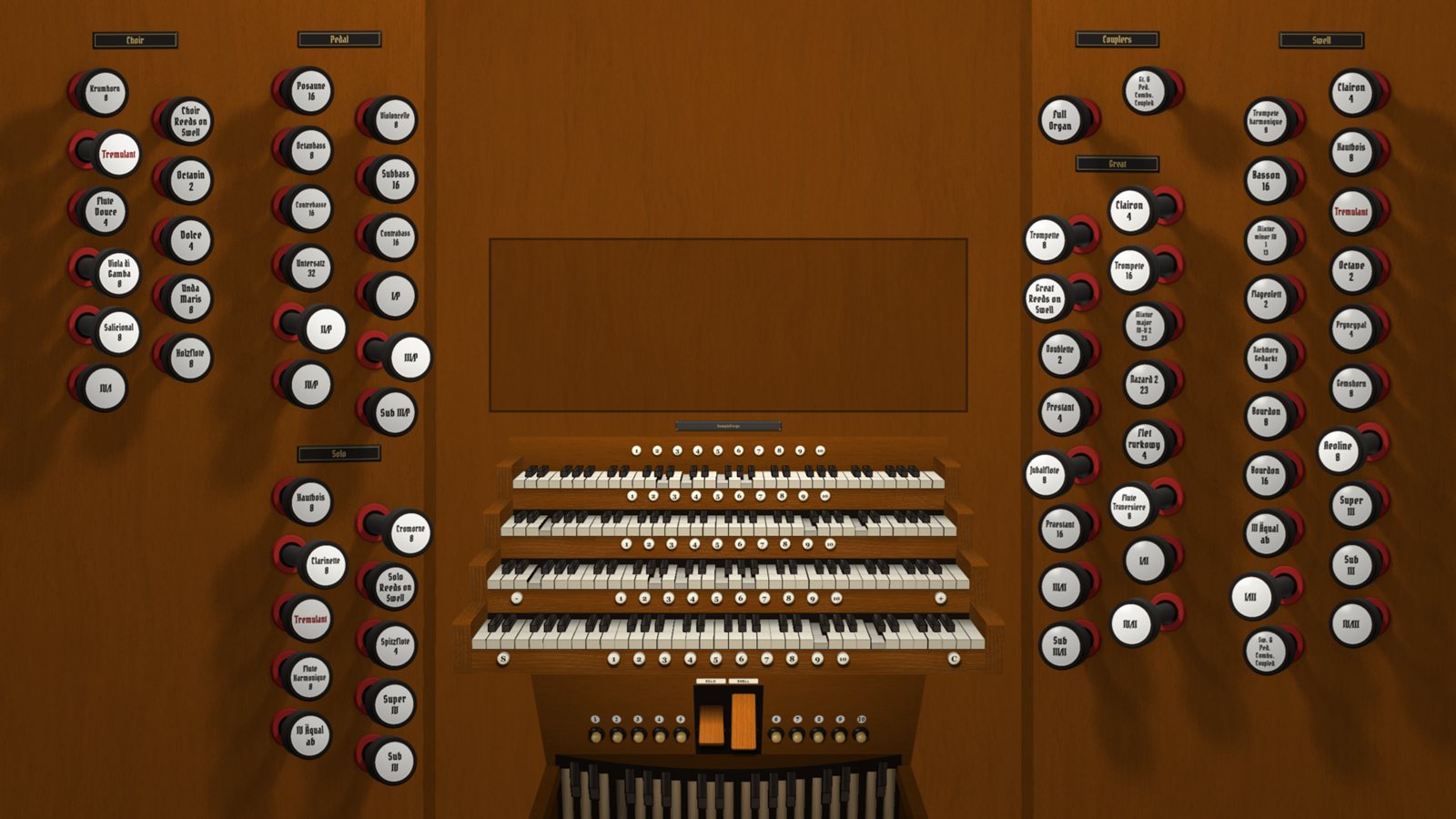
A four-manual console with drawstops either side
A four-manual console inspired by German organs.
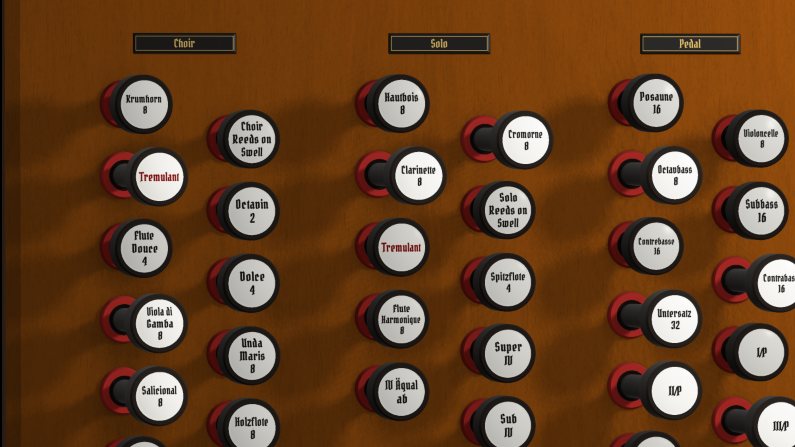
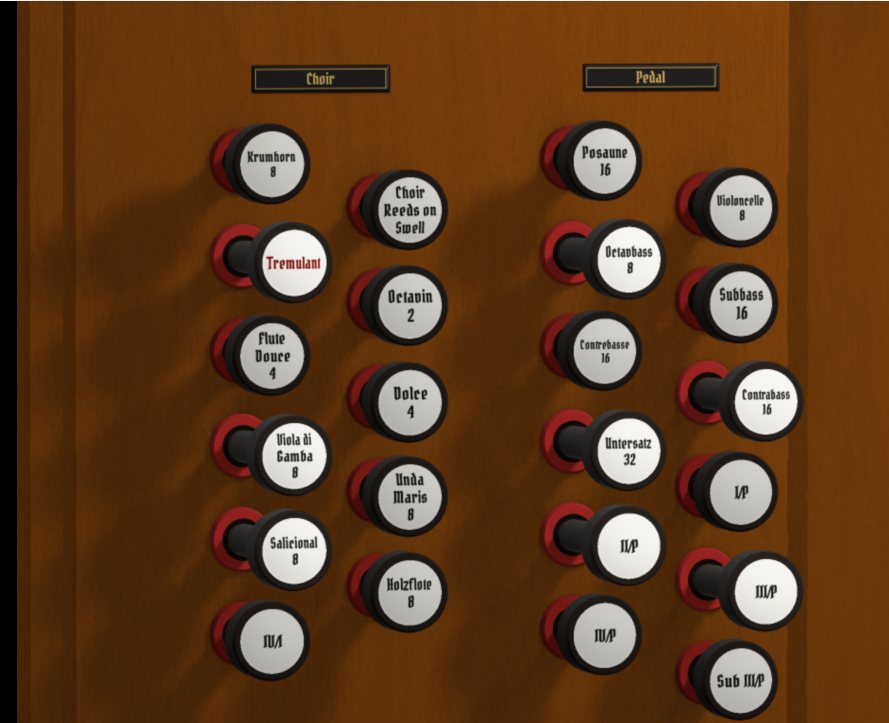
Close-up of drawstops for Choir, Solo and Pedal
Drawstops inspired by German consoles.
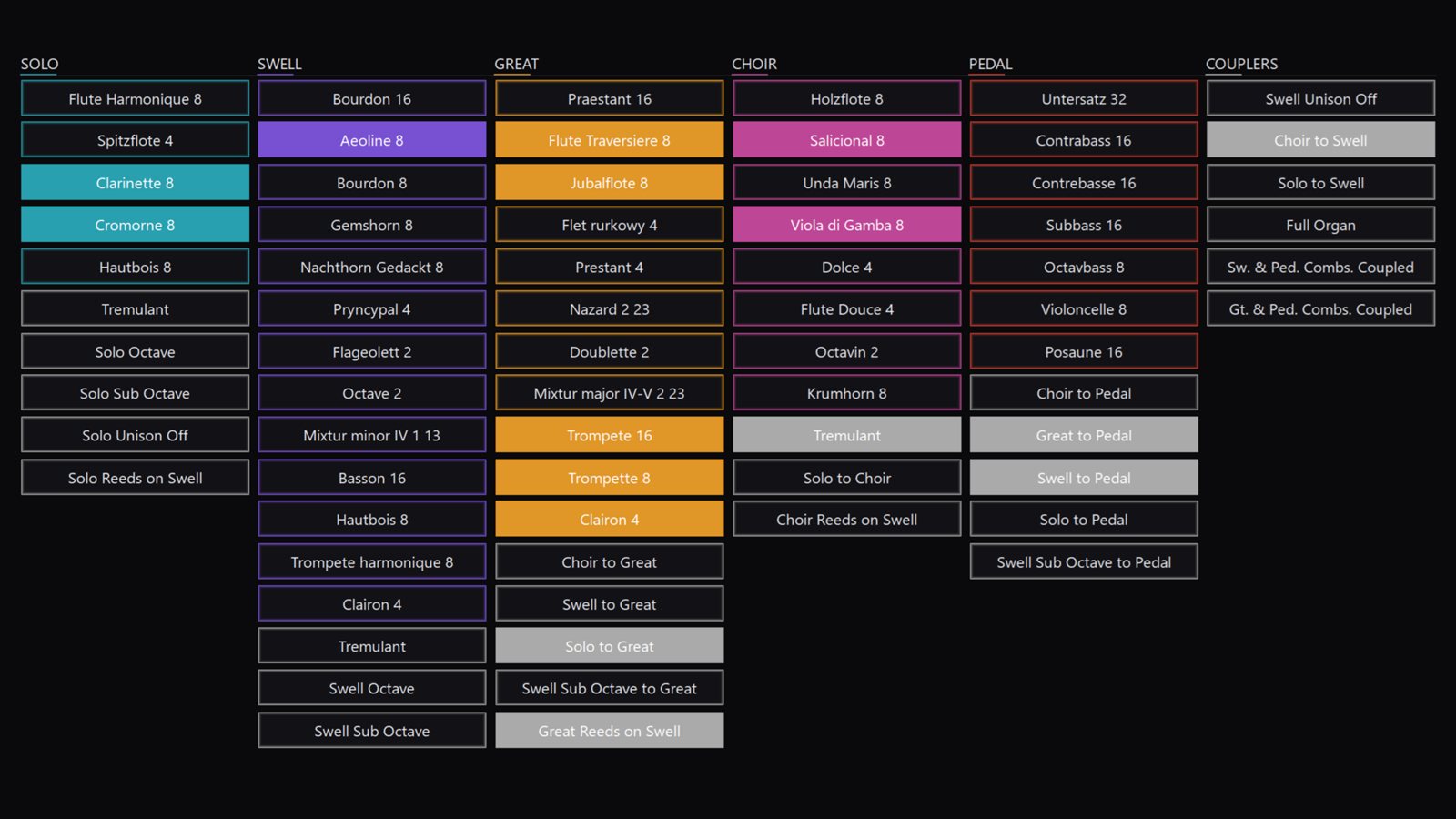
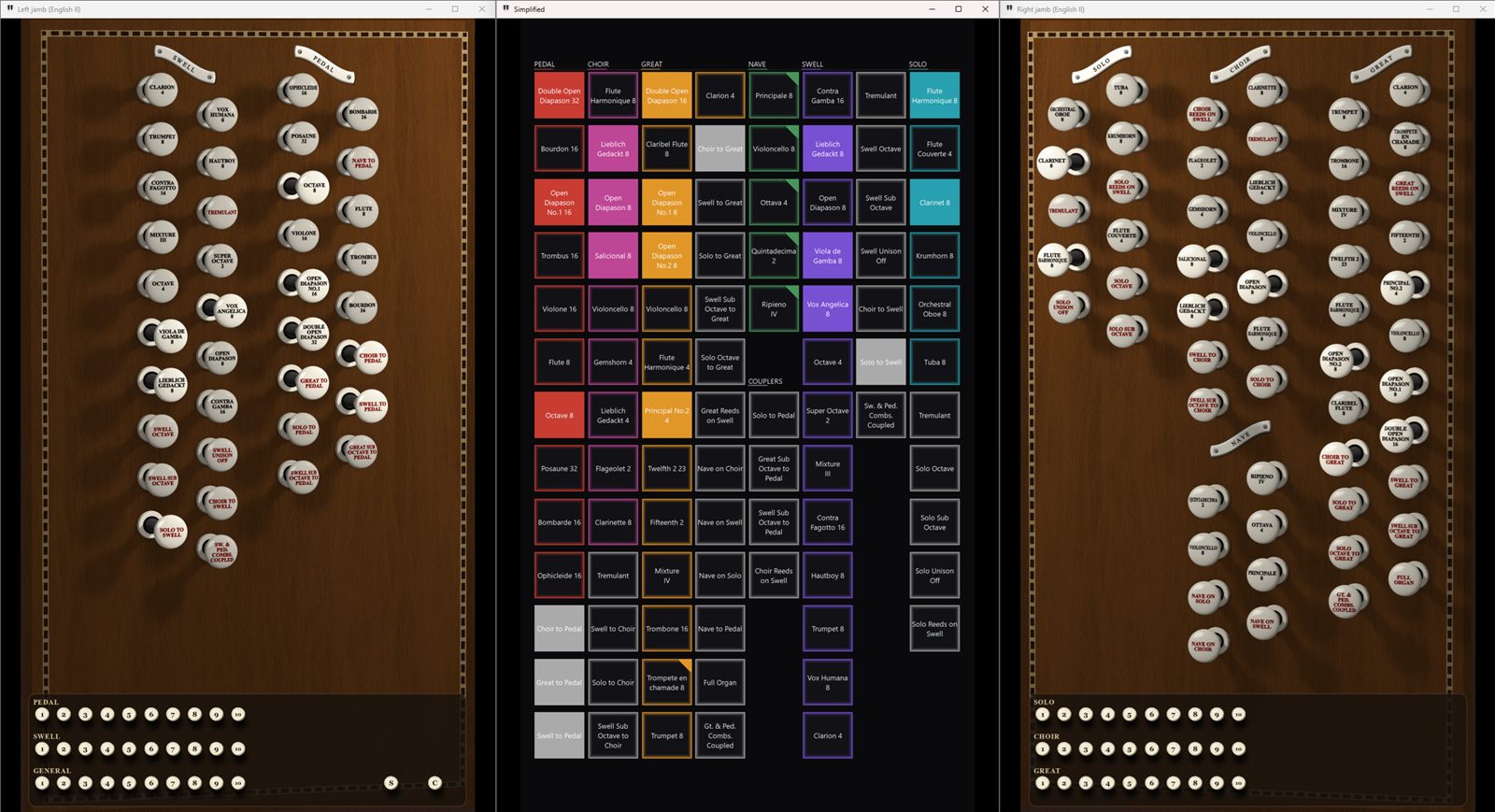
A colour-coded stop panel arranged by division
A simplified, colour-coded stop panel for a touchscreen.
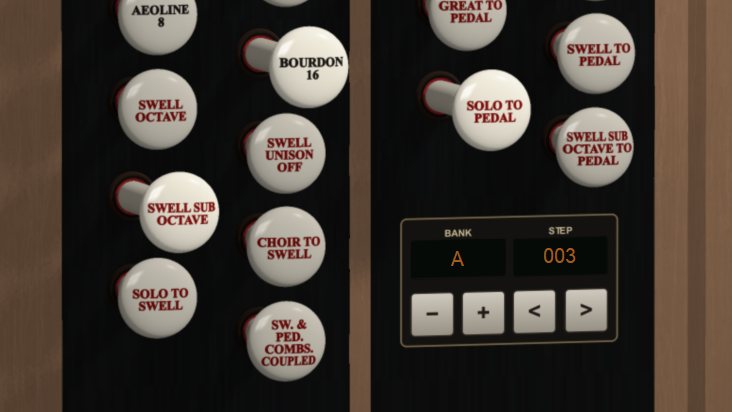
Close-up of drawstops beside a combination bank and step display
Drawstops beside the combination bank and step display.
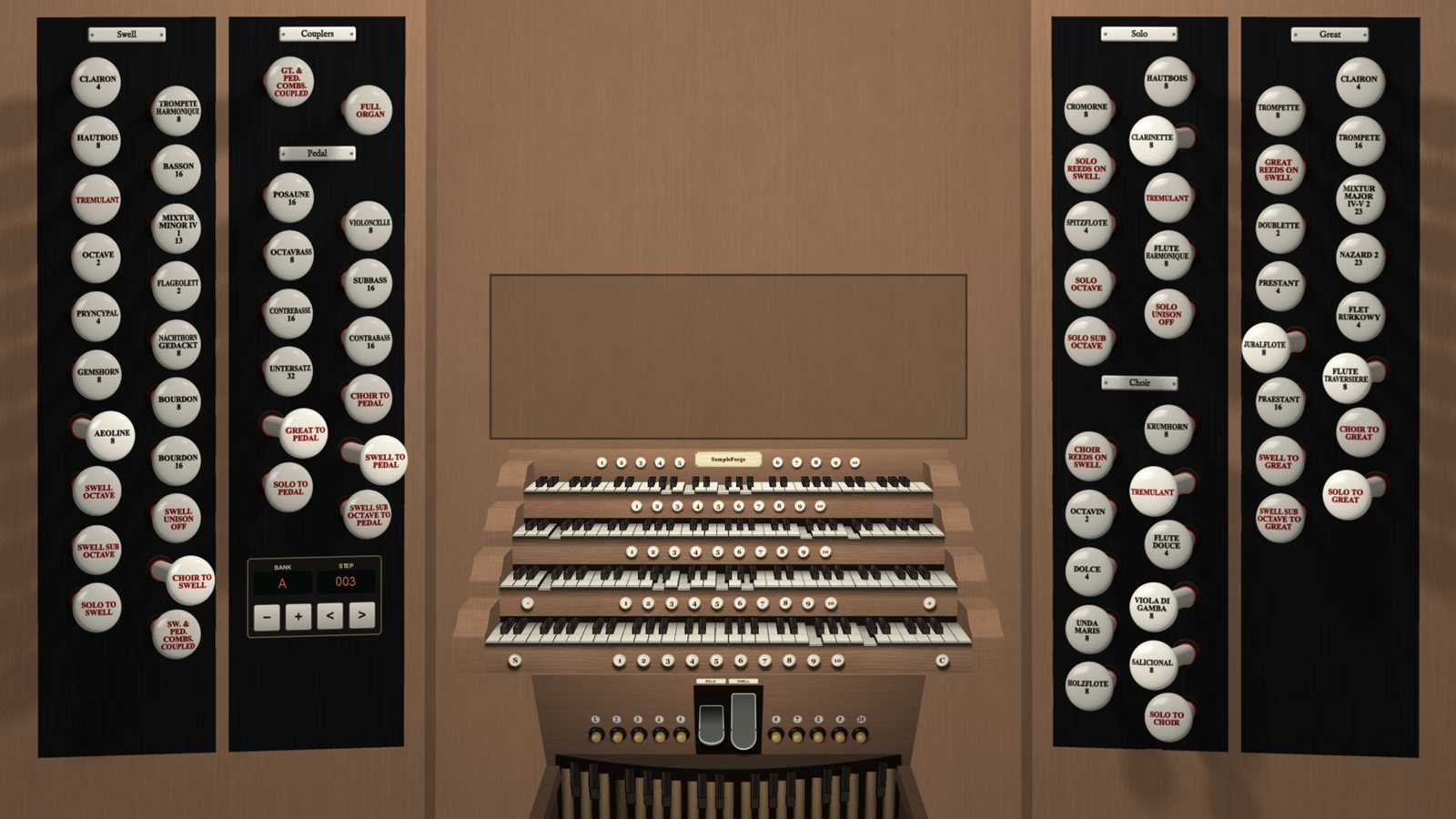
A four-manual console with black drawstop jambs
A four-manual console with black stop jambs, inspired by the English tradition.
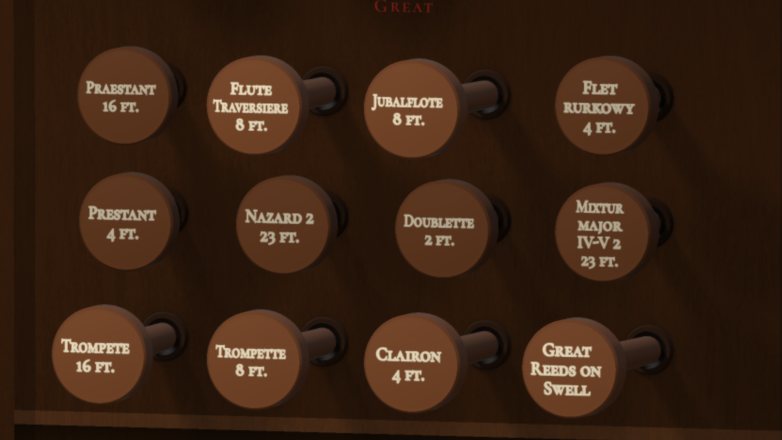
Close-up of drawstops for the Great
Great drawstops inspired by the French tradition.
Become a tester A few early testing places, open to organists everywhere and at every level. See what's involved. Get release news Tester places are full for now. Email us and we'll tell you when SampleForge VPO is released.

From sample sets to finished organ

Five stages, all in one program. Choose a step to see what SampleForge VPO does there.

Assemble

Bring in ranks from the sample sets you're licensed to use.

Combine ranks from any source
Add several organ folders to one project and choose stops from each. Each stop keeps a record of the sample set it came from, and stops can be moved between divisions and renamed to one naming style.
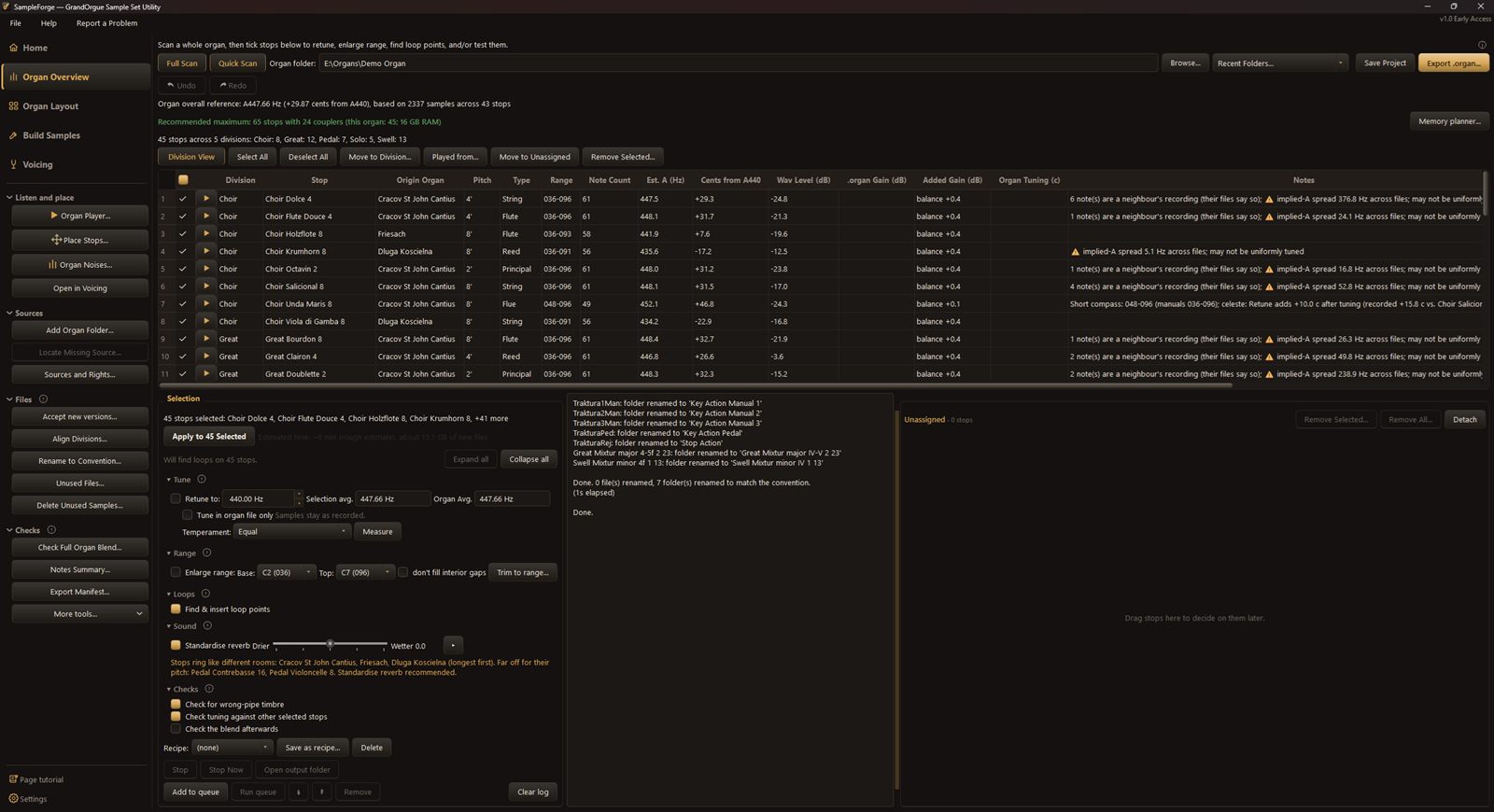
Overview and division views
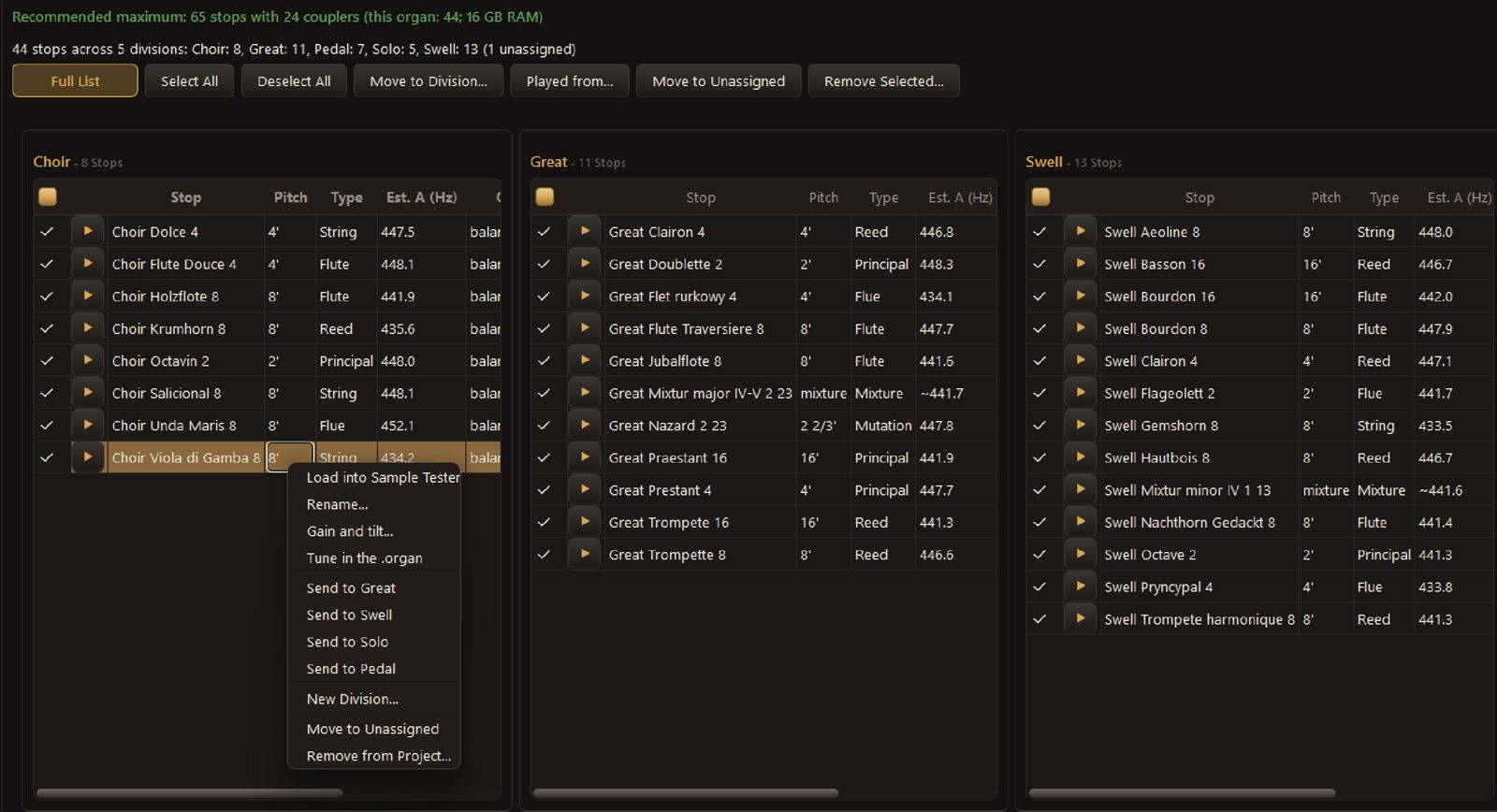
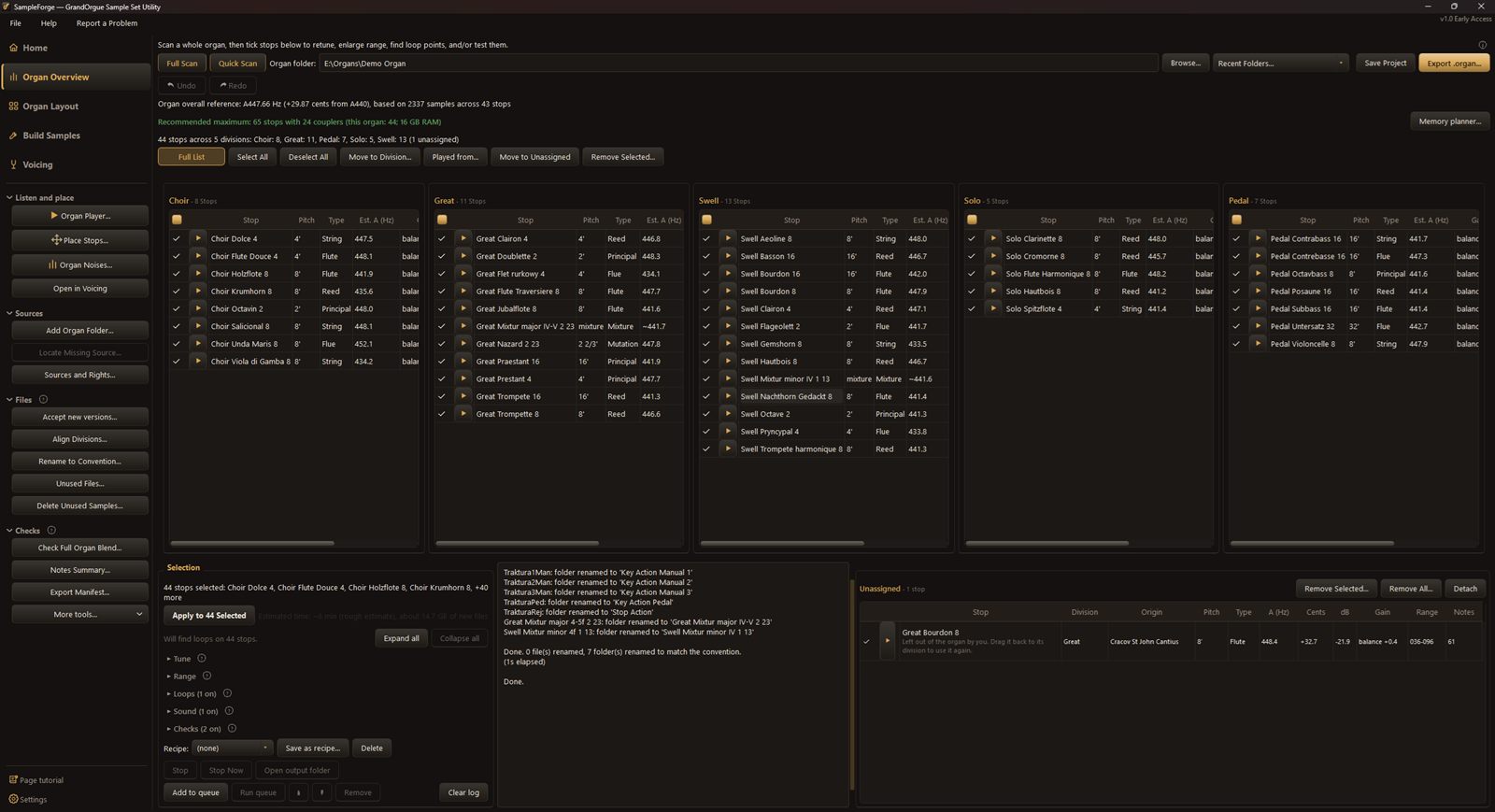
Switch between the Organ Overview, with every stop in one table, and a view of each division, to see how the organ is built up and keep it balanced.

Tune

Match pitch, temperament and compass.

Tuning first
Every sample is measured: estimated A, offset in cents from A440 and spread across the rank. Retune a selection to a common pitch in any temperament, or apply the tuning in the organ file only and leave the samples as recorded. Celestes are retuned like any other stop, then given their beat at the end.
Range, loops and releases
Choose the lowest and highest note you want and SampleForge VPO fills in the missing ones. Loop points can be found and written to the samples, and jobs can be queued across the whole organ.

Blend

Balance levels and room so it sounds like one organ.

One room, one sound
See which stops ring like which rooms and standardise the reverb so they sit together. Checks look for wrong-pipe timbre, tuning against the other stops, and the blend of the full organ.
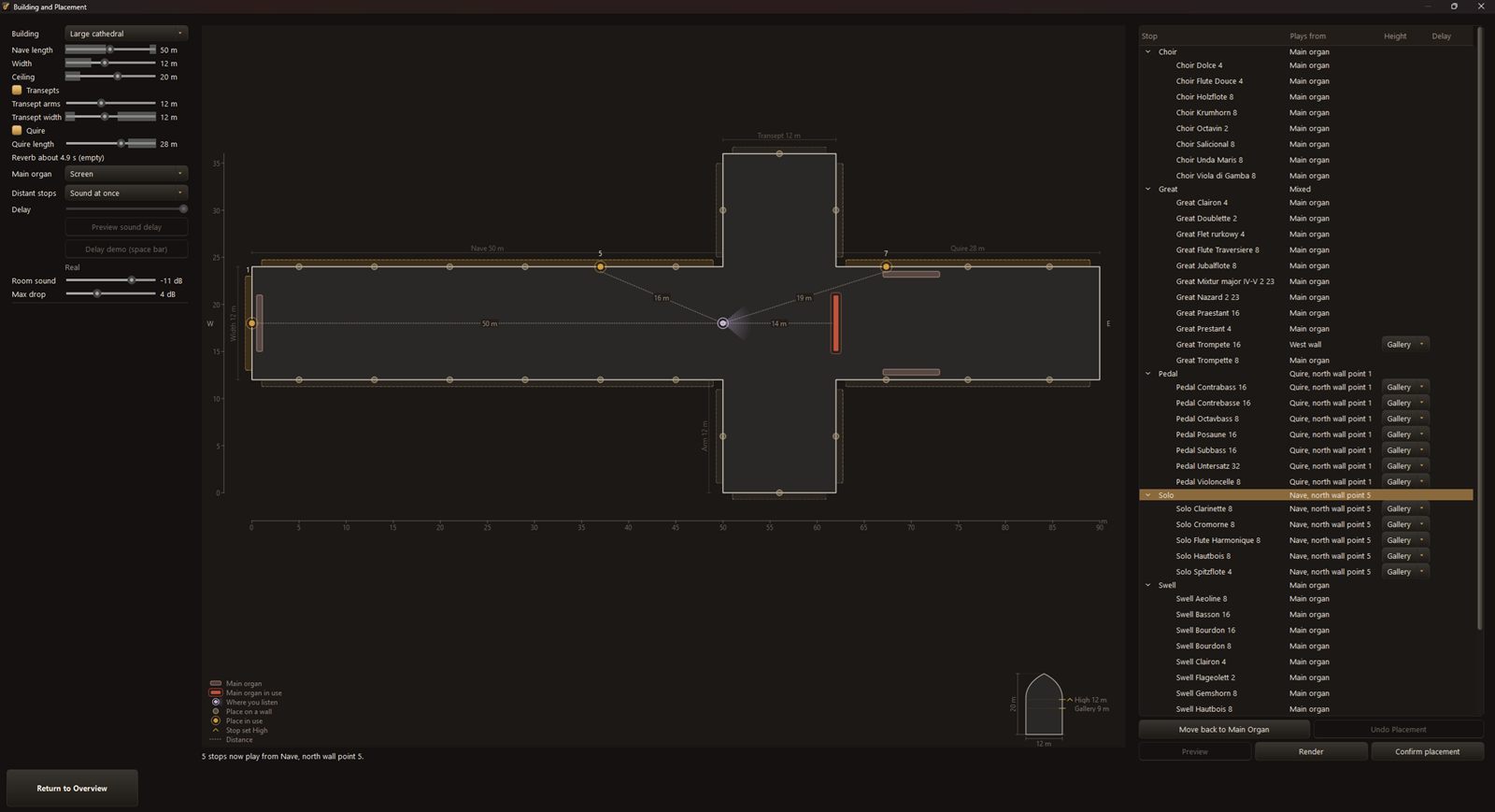
Place stops in a building
Start from a building, from a small church to a large cathedral with transepts and a quire, then use the sliders to shape it exactly as you want. Put divisions or single stops on walls and galleries, and SampleForge VPO works out distance, level and delay from where you sit.

Design

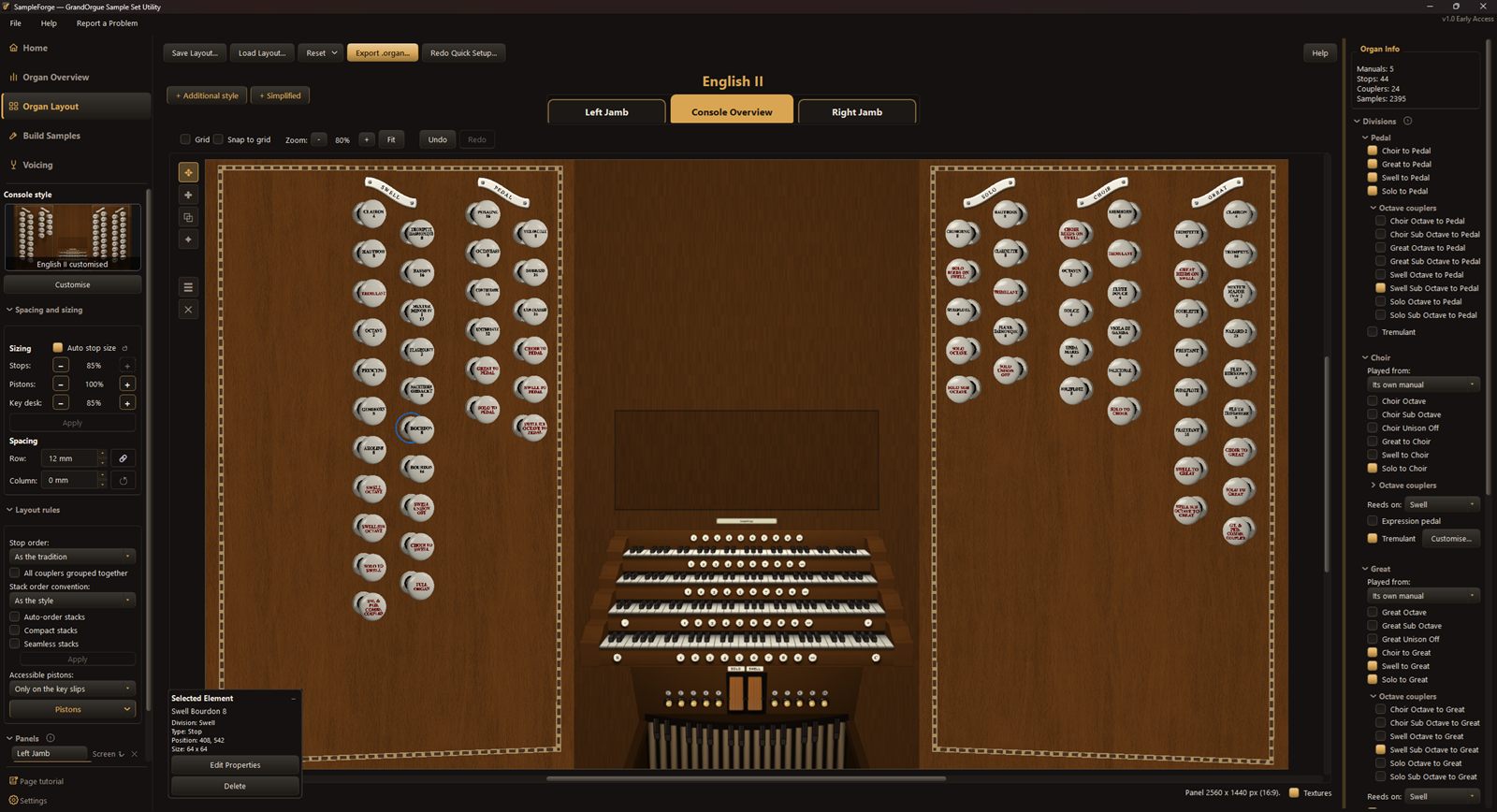
Build the console in the style you want.

Design the console
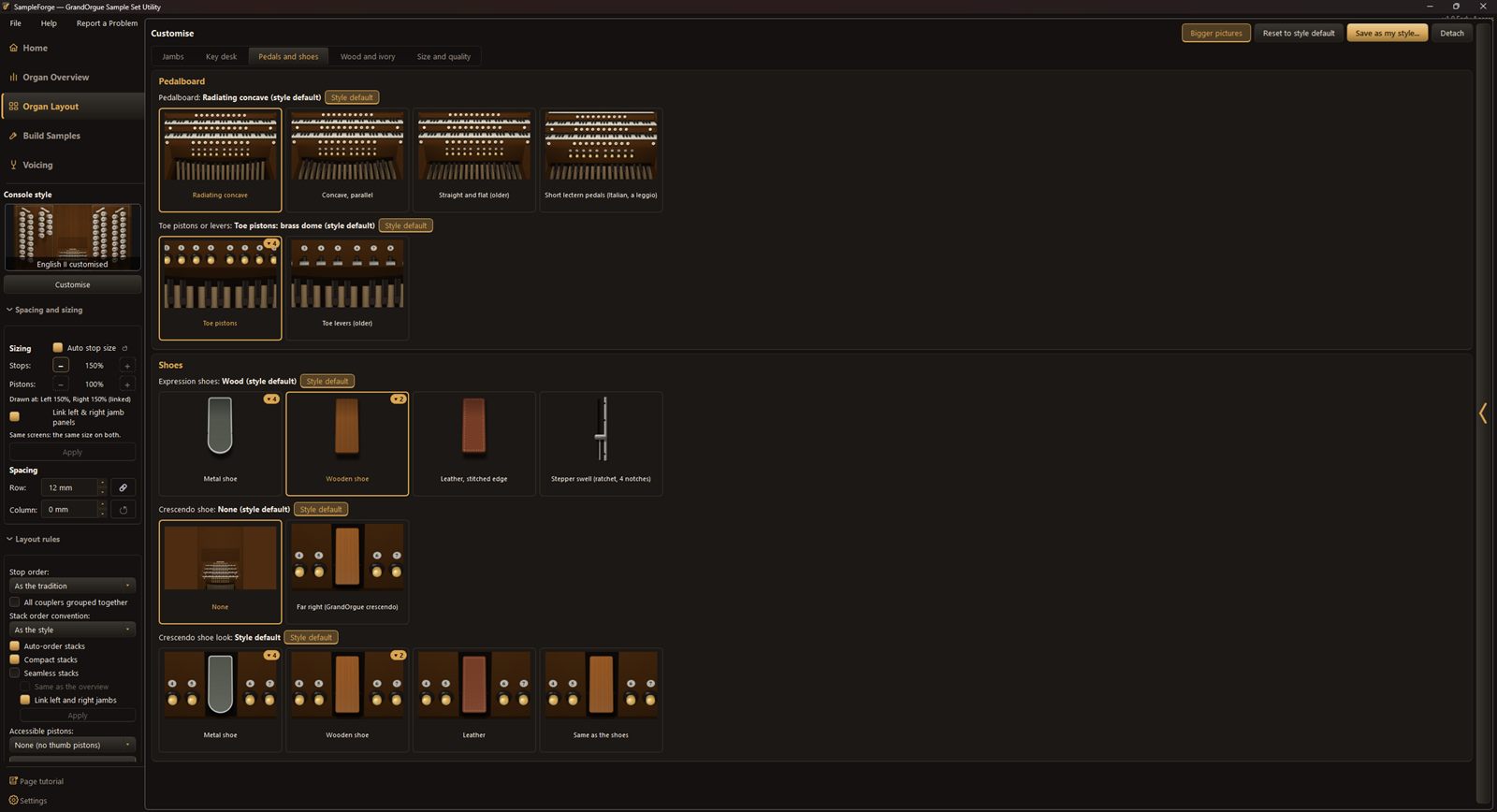
Jambs, drawstops, pistons and key desk in English, French, American, German, Dutch and tab styles, laid out by each style's conventions. Change size, spacing, order and parts from there; what you see in the editor is what the exported organ shows.
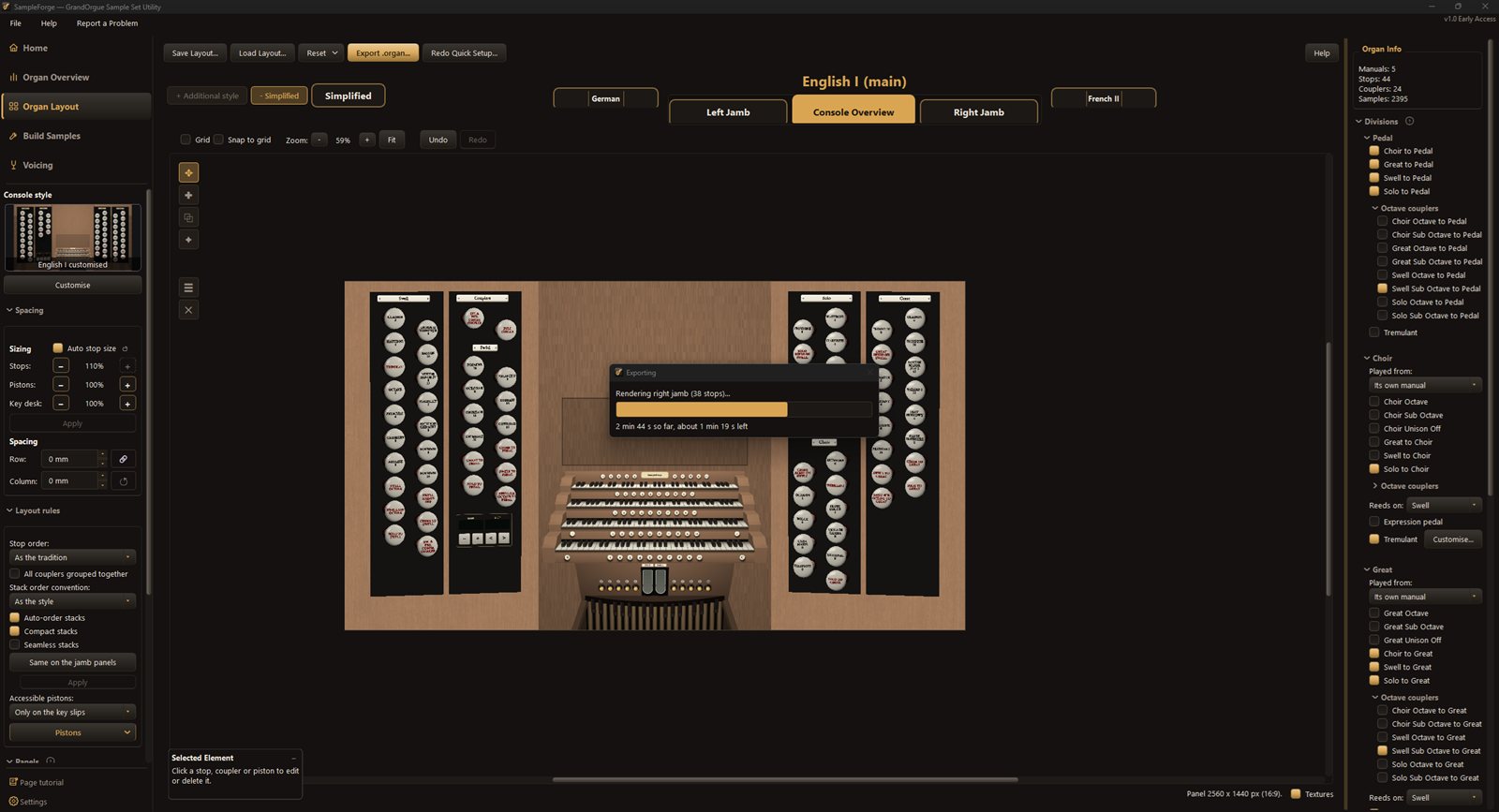
Several panels from one organ
A main console, separate jamb panels and extra styles from one project: for example an English drawstop console on the main screen and a simplified, colour-coded stop panel on a touchscreen beside it.

Play

Hear it, then export a ready-to-load organ.

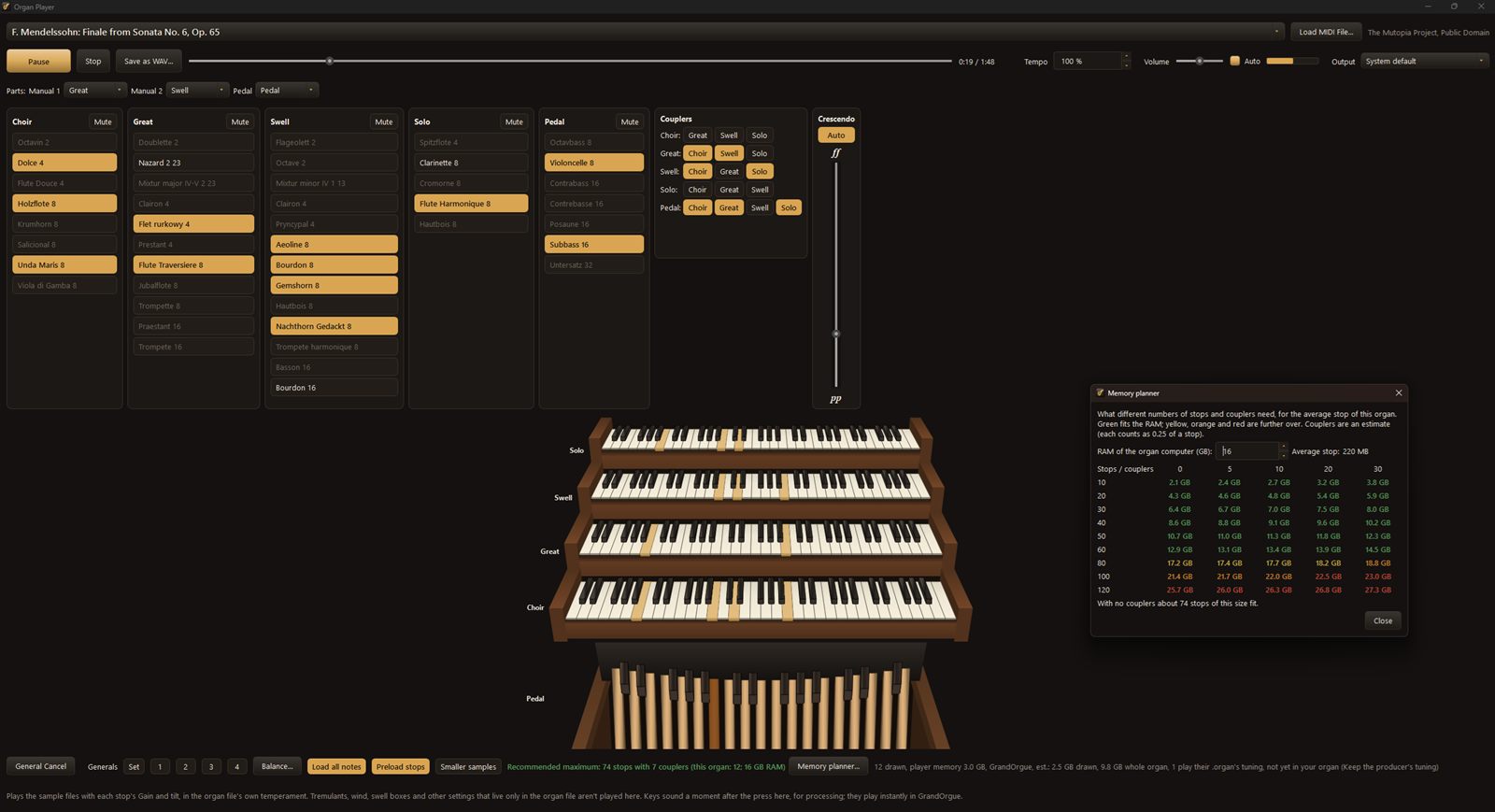
Hear it before you export
A built-in player plays MIDI files through your stops, with couplers, generals and a crescendo. The memory planner shows how many stops and couplers will fit in your organ computer's RAM.
Compatibility
At the moment SampleForge VPO runs on Windows and exports organs for GrandOrgue. Support for Hauptwerk is planned.

Hear the difference

Mendelssohn, Finale from Sonata No. 6. The same performance plays first before tuning, then crossfades to after tuning in SampleForge VPO. Drag the slider, or click Before or After, to switch whenever you like. The stops come from three different organs, and were all tuned automatically, with no human adjustment or tweaking. Both halves are at the same loudness.

0:000:33

Samples from sample sets by Piotr Grabowski, used with permission. MIDI file from the Mutopia Project. Audio quality is reduced for playback on the web.

Full feature list

Several sample sets, one project
Add as many organ folders as you like and choose stops from each.
Import a GrandOrgue organ
Start from an existing organ file and build on it.
The stop table
Every stop in one table, with pitch, cents, range and level.
Overview and division views
See the whole organ at once, or one division at a time.
Move and rename stops
Move stops between divisions and rename them to one naming style.
Unassigned list
A holding panel for stops you haven't decided where to put yet, ready to move in when you want them.
Sources and rights
Every stop keeps a record of the sample set and producer it came from.
Queue and recipes
Queue jobs across the whole organ and reuse settings as recipes.
Quick and full scans
Measure every sample: estimated A, offset in cents and spread across the rank.
Retune
Bring a selection of stops to one pitch.
Temperaments
Equal and historical temperaments, at any pitch.
Tune in the organ file only
Change tuning in the organ file and leave the samples as recorded.
Celestes
Retuned like any stop, then given their beat at the end.
Enlarge range and Trim
Fill in missing notes at the top or bottom of a rank, or trim it.
Loops
Find loop points and write them to the samples.
Tuning one stop
Fine-tune a single stop note by note.
Standardise reverb
See which stops ring like which rooms and bring them into one acoustic.
Place stops in a building
Shape a church or cathedral with sliders, not just presets, then place divisions or stops with distance, level and delay worked out for you.
Checks
Look for wrong-pipe timbre, tuning against other stops, and the blend of the full organ.
In the Demo: the stop checks. The blend check and its report are in Full.
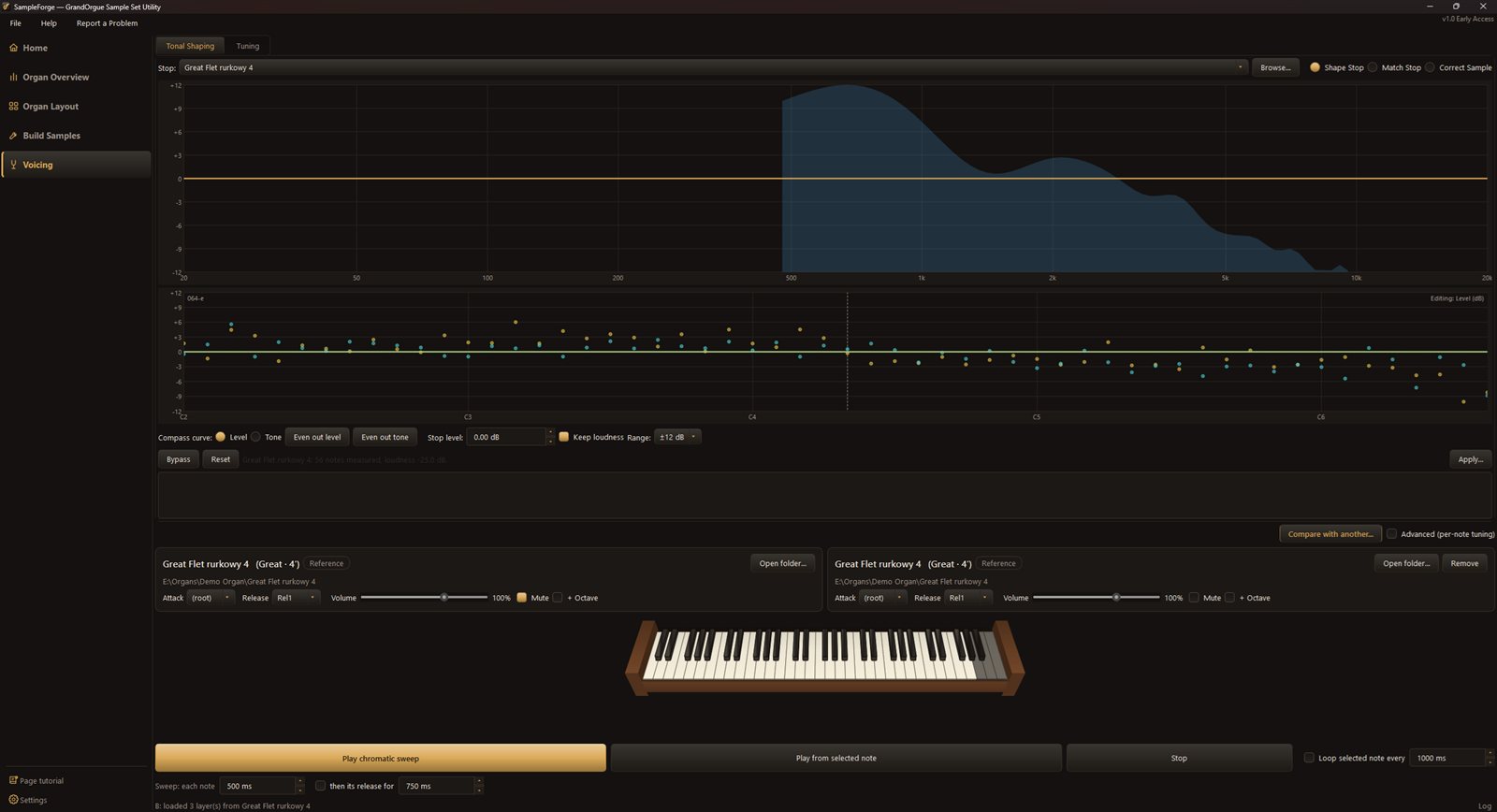
Tonal shaping
Shape, match and correct the tone of a stop.
Organ noises
Blower and action sounds for the finished organ.
In the Demo: the Standard set. Full adds the Tab and Old sets.
Sample Tester
Listen to single samples and their releases.
Console styles
English, French, American, German, Dutch and tab styles. Each is a broad generalisation of that tradition rather than one exact convention.
In the Demo: English I and Dutch. Full adds the other styles.
Layout rules
Stops, couplers and pistons placed for you; change size, spacing and order from there.
Panels and jambs
A main console, separate jamb panels and a simplified stop panel.
Several styles in one organ
Export more than one console look from the same project.
Divisions and couplers
Set up divisions and couplers, including divisions played from another manual.
In the Demo: divisions and couplers. Divisions played from another manual are in Full.
Add menu
Add decorations and extra elements to any panel.
Undo and redo
One undo and redo history for the whole editor.
Build Samples
Make or replace samples note by note.
Generate and extend
Create the missing notes of a rank from the ones you have.
In the Demo: single-loop generation. Multi-loop generation is in Full.
Bulk Rename
Rename sample files in one go.
Organ Player
Play MIDI files through your stops, with couplers, generals and a crescendo.
In the Demo: the included MIDI pieces. Playing your own MIDI files is in Full.
Memory planner
See how many stops will fit in your organ computer's RAM.
Export
Write a ready-to-load GrandOrgue organ.
In the Demo: organs of up to 15 manual stops and 3 pedal stops, on 2 manuals.
Help and tutorials
Step-by-step tutorials and a full manual inside the program.

Bring your own sample sets

No samples included. SampleForge VPO doesn't ship with any samples. You bring sample sets you're licensed to use, and their producers still own them.

Check each licence. Many producers limit how their samples may be changed, combined or shared. An organ you build with SampleForge VPO is for your own use unless every producer whose samples it contains allows more.

Credit stays with the stop. Every stop keeps a record of the sample set and producer it came from, so you can always see whose work is in your organ.

Edit only where allowed. Not every creator allows the WAV files to be edited. Where they don't, some changes such as tuning, levels and the console can be made in the organ file alone, leaving every sample untouched. Check the licence for these too.

No copy protection removed. Encrypted or protected sample sets aren't supported, and SampleForge VPO never tries to unlock them.

The full rules are in our Terms of Use and Sample Rights.

Performance

Typical times, measured on one real stop: a Principal 8' of 58 notes with several release samples each, about 300 WAV files and 400 MB. Larger organs are estimated from that stop.

Why it takes a while: for every stop, SampleForge VPO retunes each sample, analyses its tone, measures and applies reverb, finds loop points and, where needed, extends the range, then writes new sample files. Not every stop needs every step. Typical assumes only a few stops need their range enlarged; Worst case assumes every stop needs every step, which is rare.

Task1 stop25 stops50 stops100 stops
Quick scanUnder 1 sA few secondsA few secondsA few seconds
Full scanA few seconds7 s15 s30 s
Standard workflow (typical)
Retune6 s3 min5 min10 min
Enlarge range9 s4 min8 min14 min
Find and write loops10 s4 min8 min17 min
Standardise reverb10 s4 min8 min17 min
Total35 s15 min29 min58 min
Place in a building5 s2.5 min4 min7.5 min
Load into the Organ PlayerA few seconds1 minA few minutes5 min
Export the organ file~1 sA few secondsA few secondsA few seconds
Memory used in GrandOrgue, lossless compression—~10 GB~16 GB~28 GB
Memory used in GrandOrgue, uncompressed 24 bit—~14 GB~24 GB~44 GB

Measured on a development build with an AMD Ryzen 7 9800X3D (8 cores), 32 GB of RAM and an NVMe SSD. Organ estimates assume stops of a similar size; stops with more notes or samples take longer. Times depend mostly on the number of processor cores and the speed of the drive your samples are on, so expect them to be longer on a smaller PC. Times include writing the new sample files.

Memory figures include about 4 GB for Windows and GrandOrgue, which stays the same whatever the size of the organ; that is why the figures don’t double when the organ does. The lossless 50-stop figure is from a real organ; the others are estimated from it and from the test stop, about 400 MB once loaded at 24 bit. Stops vary a lot in size, so treat these as a guide and allow some spare memory.

Limitations

SampleForge VPO can do a lot, but it can’t make a sample set better than it was recorded. These are the limits worth knowing before you start.

Never better than the recording

Every change starts from what the producer recorded. Retuning moves a pipe’s pitch, and large changes can alter its character slightly. Notes made by enlarging a range are built from the neighbouring pipes, so they are close matches, not new recordings. The bigger the change, the more you may hear it.

Dry and wet samples

SampleForge VPO works best with samples, because the room can then be added evenly to every stop. It also works with samples, and most sample sets, especially free ones, are recorded wet.

A recorded room can’t be fully taken out again. SampleForge VPO works around this by matching reverb between stops, but stops from very different buildings will never blend perfectly.

GrandOrgue

Organs are exported for GrandOrgue, so they can only do what GrandOrgue supports. The console is drawn as images with GrandOrgue’s controls on top, and the whole organ is loaded into your computer’s memory when you play it; the memory planner shows what will fit. Hauptwerk export is planned but not available yet.

Other limits

  • Windows only, in English for now.
  • Encrypted or copy-protected sample sets can’t be used.
  • The Organ Player is for checking your organ before export. You play the finished organ in GrandOrgue.
  • What you may change is still set by each sample set’s licence.

System requirements

Operating system
Windows 10 or 11
To play your organ
GrandOrgue (free); minimum version to be confirmed
Memory
16 GB of RAM or more recommended for larger organs; see Performance above
Disk space
Room for new sample files alongside your sets; exact guidance to be confirmed
Sample sets
Your own, used within their licences; none are included

Editions

SampleForge VPO logo

Demo

Try SampleForge VPO on your own sample sets.

Coming soon

Full

Every feature, for building and exporting your own organs.

Release date not yet confirmed

The Demo comes first, as early access. The Full edition will follow once testing is complete; we'll announce its date when it's confirmed.

Follow the YouTube channel for release news.

Why I built SampleForge VPO

I grew up in the Anglican choral tradition: first as a young chorister, then all the way through university, and more cathedral singing that took me on tours, introducing me to a wide variety of organs across Europe and North America. The organ was always a keen interest of mine: the voice of the liturgy, a concert instrument in its own right, and now, thanks to virtual pipe organs, an instrument we can play at home.

I won't claim to be an organist, but I am a huge organ enthusiast. I started learning the organ at school, but only came back to it as an adult. That was when I discovered virtual pipe organ software such as Hauptwerk and GrandOrgue, first played through my electric piano.

Having since built my own home console, I started to discover the wonderful variety of sample sets that are out there. However, the sets available to me never quite had the organ I wanted. That led me to composite organs, and to editing GrandOrgue organ definition files by hand.

As many of you will know, it's a steep learning curve and not always super user-friendly. My own results rarely looked or sounded as polished as a properly produced sample set. SampleForge VPO started as my own way of making that manual process of editing files easier. It has taken a great deal of time and effort to develop, and with encouragement from friends and family, I've decided to share it. I've waited until now to share its progress and development, because I wanted the early access demo to be something I'm proud of releasing.

I certainly don't know everything about organs, so any feedback on how SampleForge VPO could be better is always welcome. I hope you enjoy it, and that it helps you build the organ you've always wanted to play.

Jon

Questions

Which sample sets does it work with?

GrandOrgue organs and folders of samples you are licensed to use. Some Hauptwerk-format sets can be read, but not all yet; this is still being worked on. Encrypted or copy-protected sets can't be used.

Does it change my original files?

SampleForge VPO never overwrites your original files without your permission. Changes are written to new sample files, or to the organ file only.

Can I share or sell organs I make?

Only if the licence of every sample set in the organ allows it, and many don't. Commercial use also needs a written licence from us; see the Terms.

What's the difference between the Demo and Full?

The Demo is a free version with no time limit and limited features. It builds organs of up to 15 manual stops and 3 pedal stops on 2 manuals, and shows the Full features greyed out. Full removes those limits and adds features such as placing stops in a building, more console styles and playing your own MIDI files in the Organ Player. The feature list can show what's in the Demo.

Does it run on Mac or Linux?

Not at the moment. SampleForge VPO is for Windows 10 and 11. Towards the end of the early access stage, we plan to add other operating systems.

Does it export to Hauptwerk?

Not yet. It exports organs for GrandOrgue; Hauptwerk export is planned.

Do I need GrandOrgue?

Yes, to play the finished organ. GrandOrgue is free and open source. SampleForge VPO isn't affiliated with the GrandOrgue project; it creates files that GrandOrgue can open.

When will it be released, and how much will Full cost?

The Demo comes first, then an early access release. Dates and the price of Full will be announced when they're confirmed; see News or the YouTube channel.

How do I report a bug or ask for a feature?

Email support@sampleforgevpo.com, with screenshots or log files if you can.

Contact

General questions: hello@sampleforgevpo.com

Bug reports and support: support@sampleforgevpo.com

Build the organ you’ve always wanted to play.